How to Download Your Instagram Data (Step by Step)
A 60-second guide to requesting your official Instagram data export in JSON format — the file that powers every private analytics tool.
Almost every safe Instagram tool starts with the same thing: your official data export. It is a file Instagram prepares for you, on request, containing a copy of your account information. Here is how to get it without any guesswork.
What is the data export?
Under privacy laws like GDPR, platforms have to let you download your own data. Instagram calls this “Download your information.” The export includes your posts, messages, and — most usefully for analytics — the complete lists of who you follow and who follows you.
It is the same data Instagram already stores about you. Requesting it is officially supported and completely safe.
Step-by-step
Follow these screens in order — the whole thing takes about a minute.
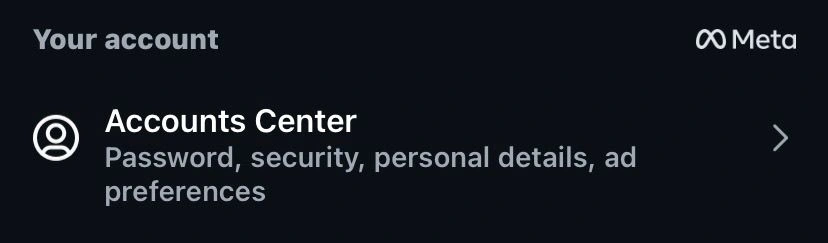
1. In Settings, tap “Accounts Center”.
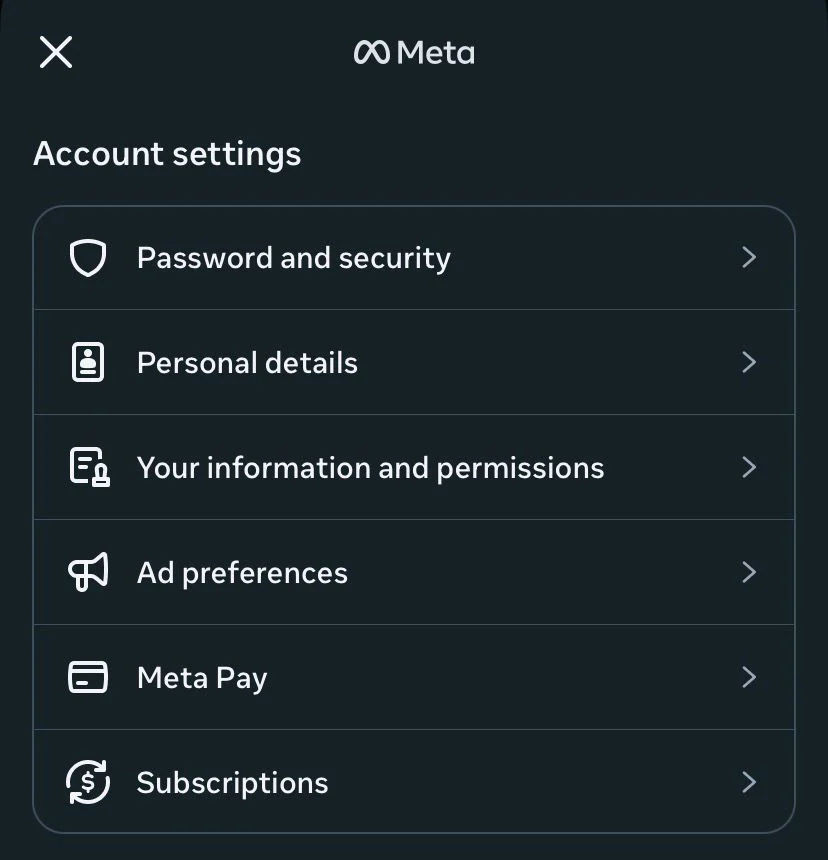
2. Tap “Your information and permissions”.
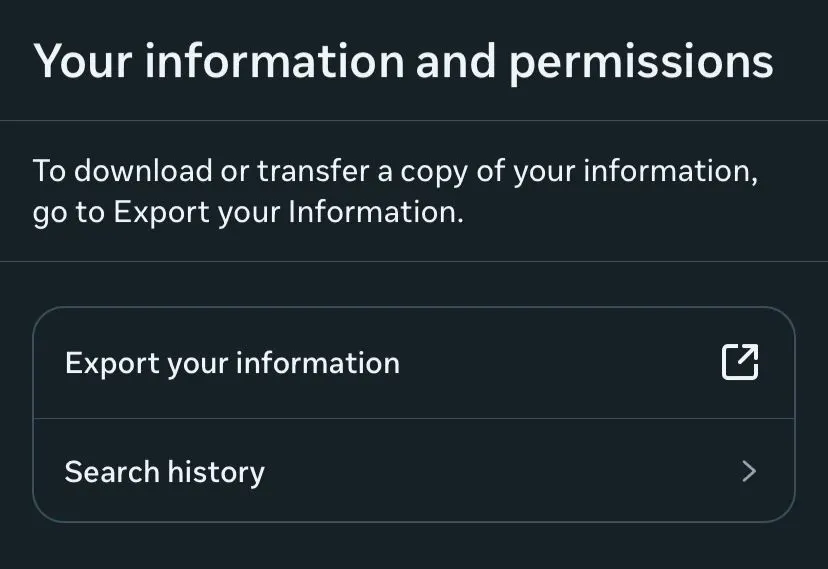
3. Tap “Export your information”.
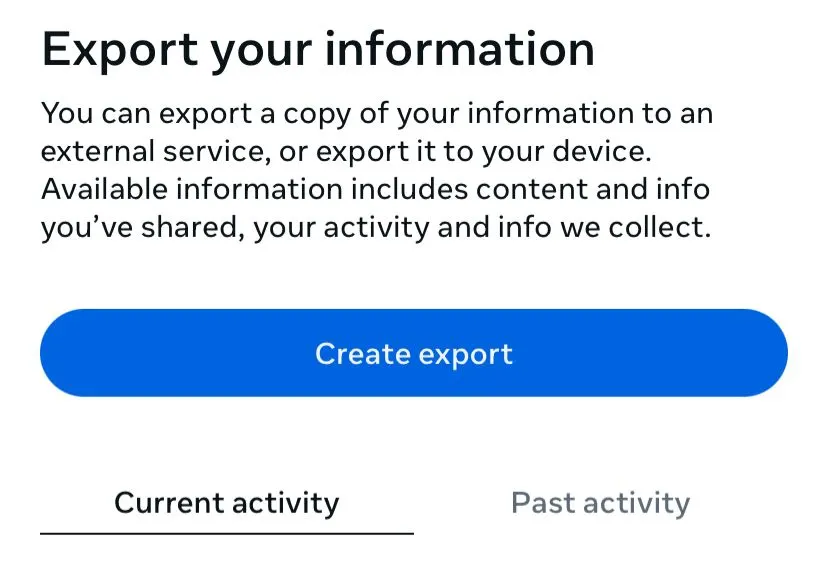
4. Tap “Create export”.
5. Choose “Export to device”.
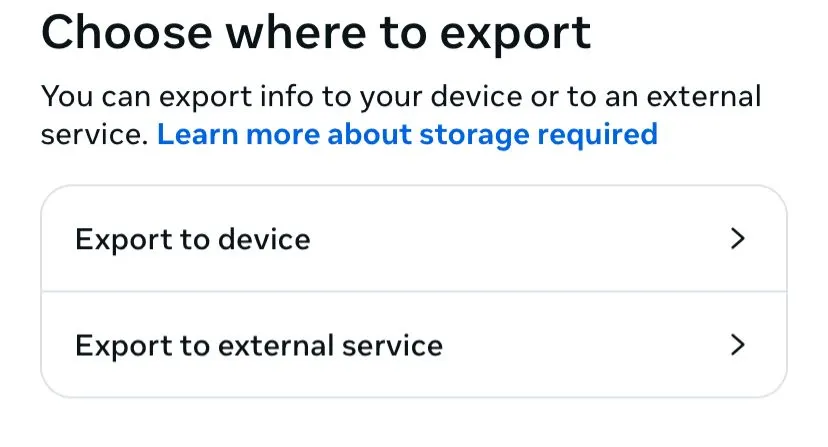
6. The confirmation screen shows your export options.
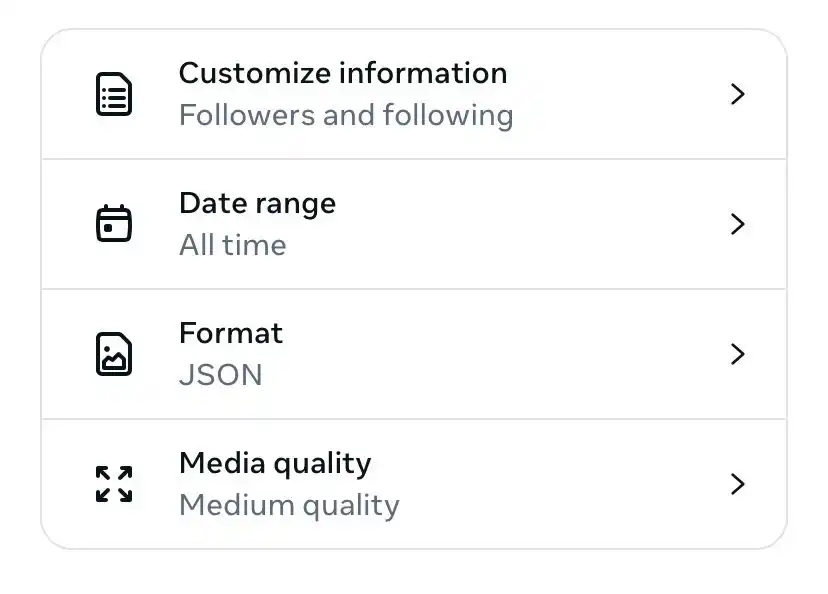
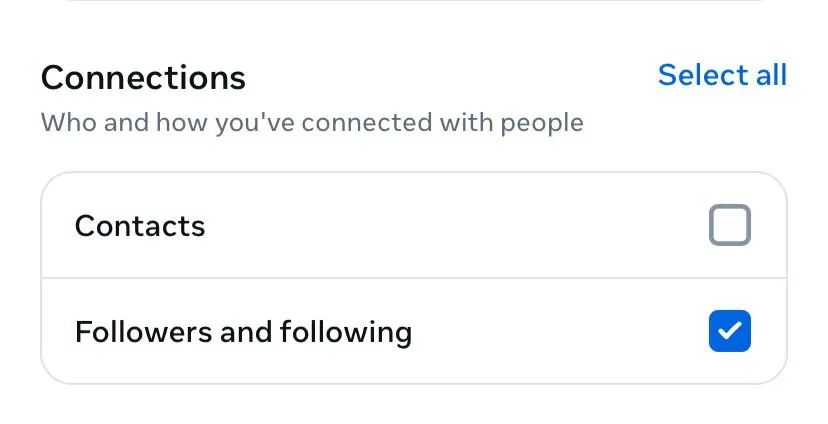
7. Open “Customize information” and, under Connections, tick “Followers and following”.
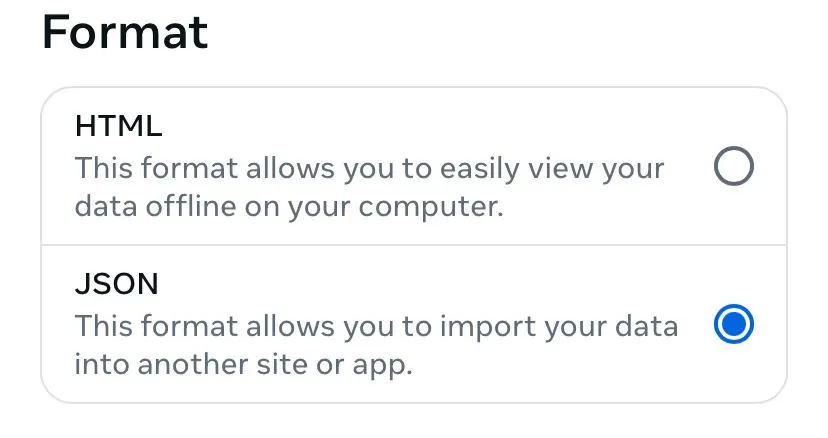
8. Set the Format to JSON.
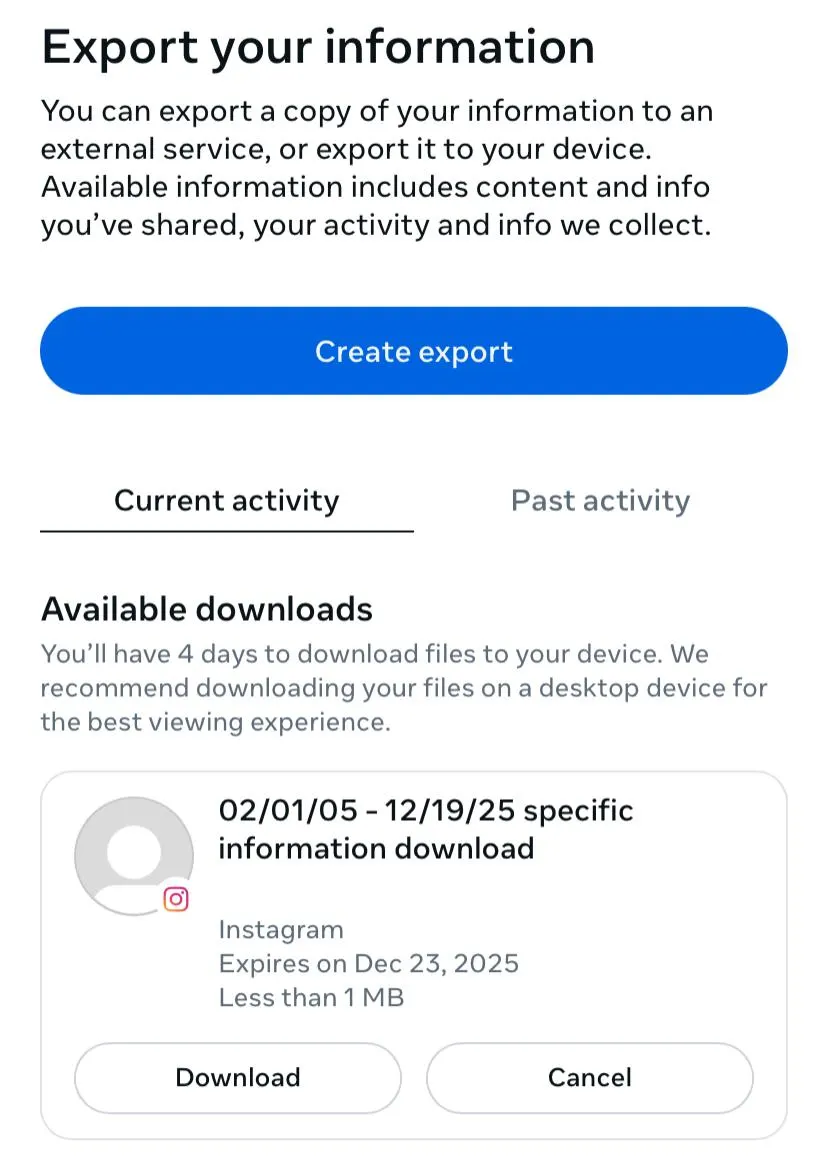
9. Start the export. When it’s ready you’ll be notified — download the .zip within four days.
Why JSON, not HTML
Instagram offers two formats: HTML and JSON. HTML is designed to be opened like a web page; JSON is designed to be read by software. Analytics tools like Unfollowo parse your data, so JSON is cleaner and faster to process. HTML can work in a pinch, but JSON is the better choice.
How long does it take?
Usually just a few minutes. Larger accounts with years of history and lots of messages can take up to 48 hours. Instagram will email you a download link when your file is ready.
Downloading the file
Open the email, follow the link, and download the .zip file. Do not unzip it. Tools that read your export expect the original compressed file exactly as Instagram delivered it.
What to do next
With the .zip in hand, head to Unfollowo and drop it onto the page. It reads the file right in your browser to show who doesn’t follow you back, your follower ratio, and more — without ever uploading your data.
That’s it. One file, requested once, unlocks a complete and private picture of your account.