Find out who quietly stopped following you
Drop in the data file Instagram already lets you download and Unfollowo reads it right here on your device. We never ask for your login, and not a single byte is sent to a server.
- Zero login required
- Runs 100% in your browser
- No risk to your account
Everything is parsed in your browser. Close the tab and it is gone.
Not sure how to get the file? Read the 60-second guide
Live demo · sample data
Three steps, a couple of minutes
From download to insights
No accounts, no waiting room, no fine print.
Ask Instagram for your data
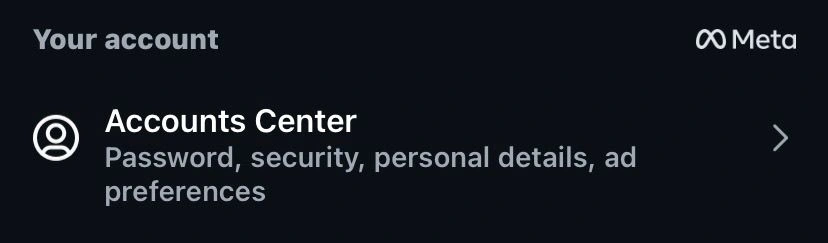
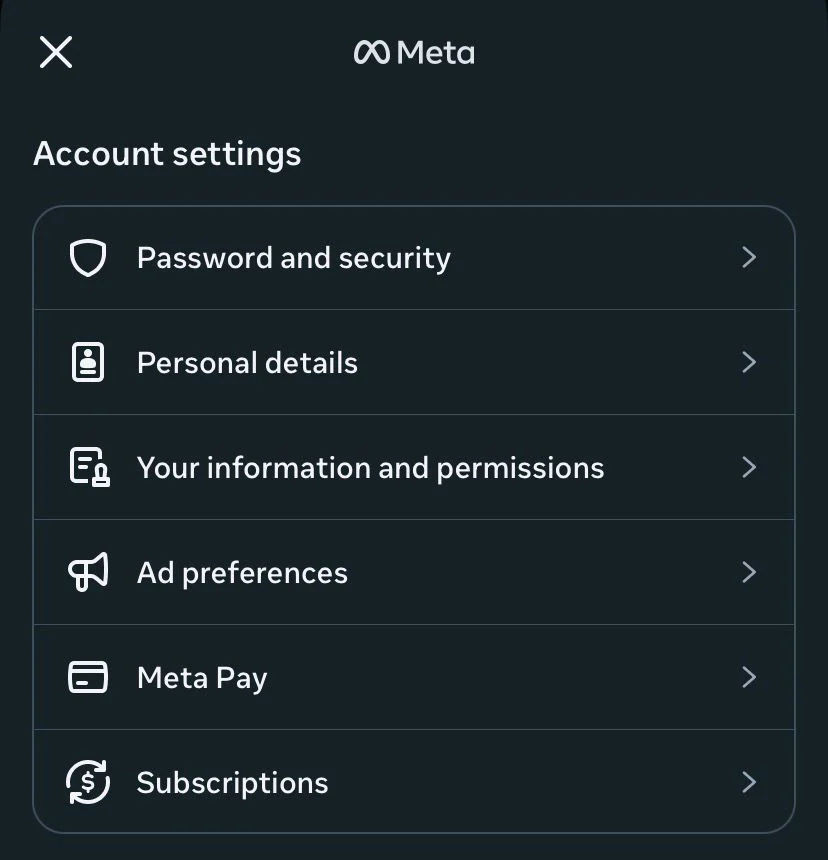
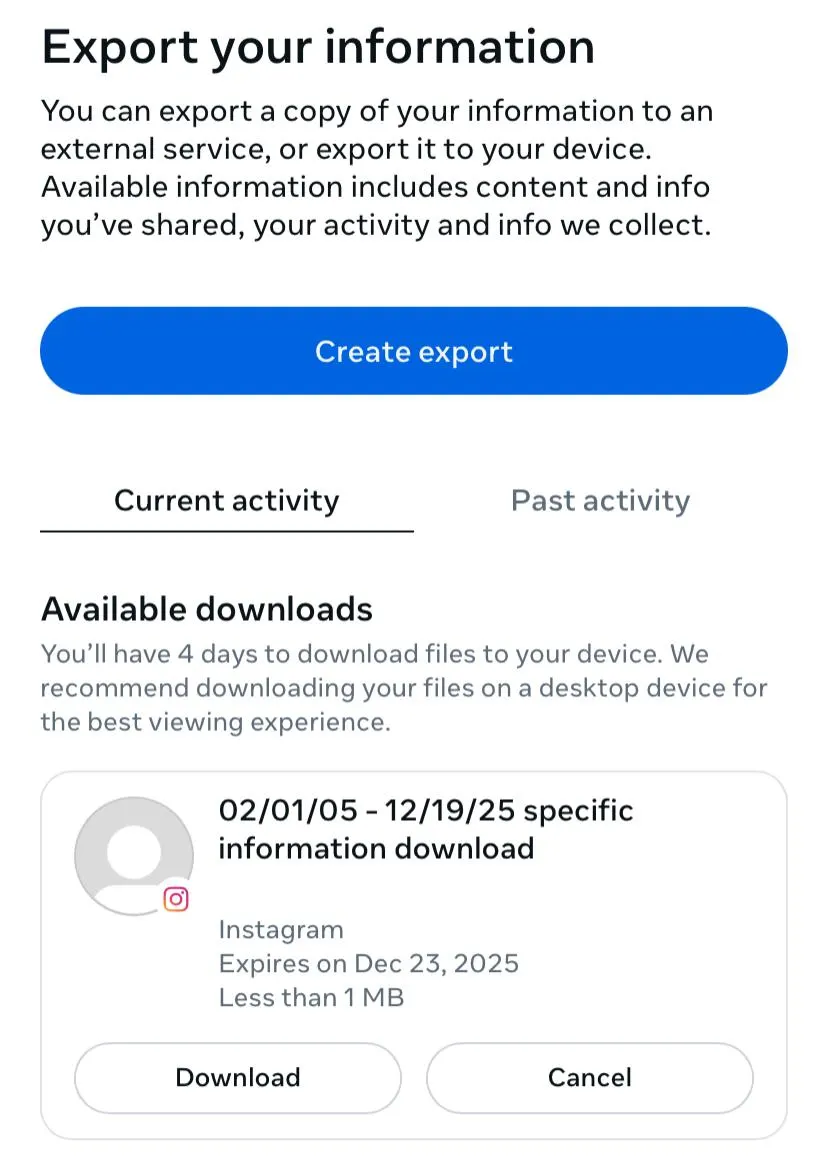
In the app, open Settings → Accounts Center → Your information and permissions → Download your information. Pick the JSON format.
Drop the ZIP onto this page
Once Instagram emails you the file, upload the .zip exactly as you received it. There's nothing to install.
Read your story instantly
Unfollowo unpacks the file on your device and turns it into clear, shareable insights in seconds.
Getting your file How to download your Instagram data See the full step-by-step, with screenshots · 9 steps · about a minute
- 1
In Settings, tap "Accounts Center"
- 2
Tap "Your information and permissions"
- 3
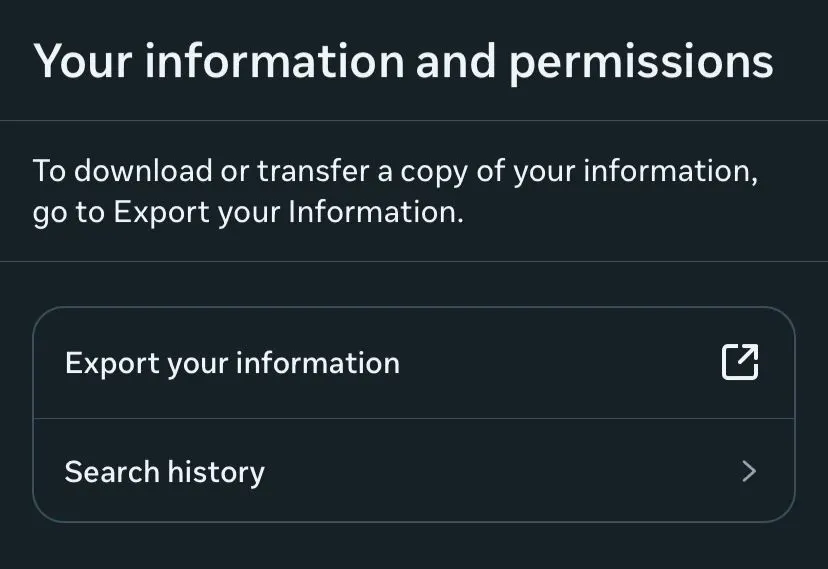
Tap "Export your information"
- 4
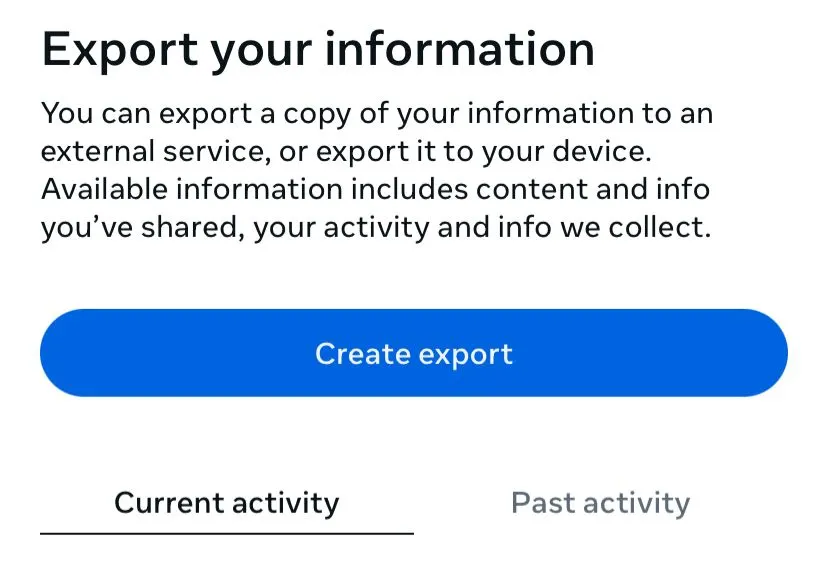
Tap "Create export"
- 5
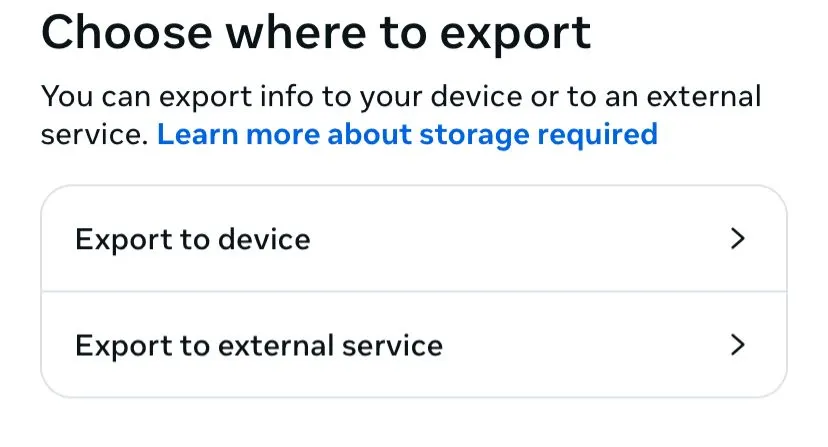
Choose "Export to device"
- 6
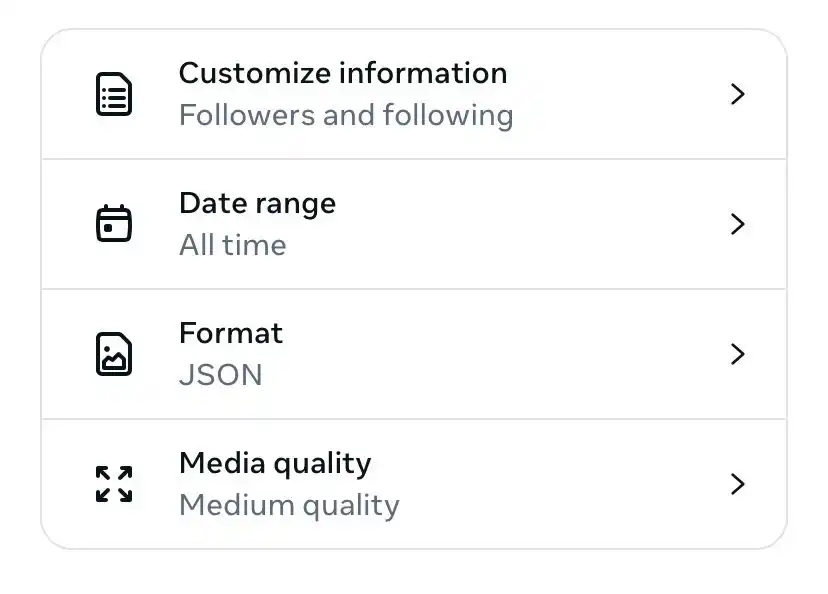
Review your export options
- 7
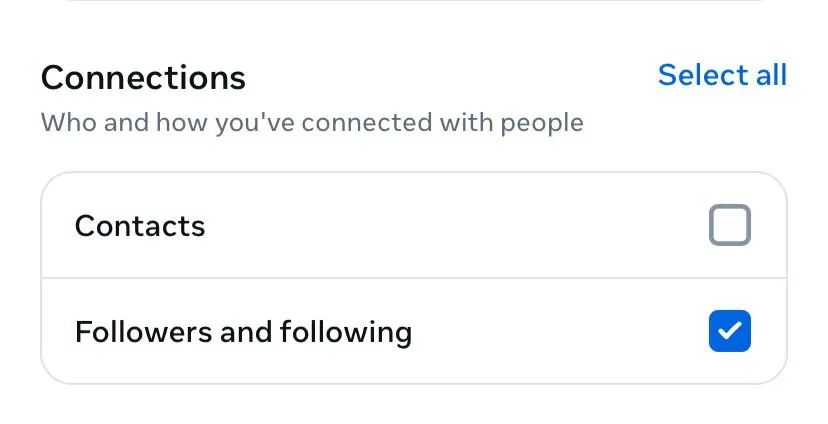
Under Connections, tick "Followers and following"
- 8
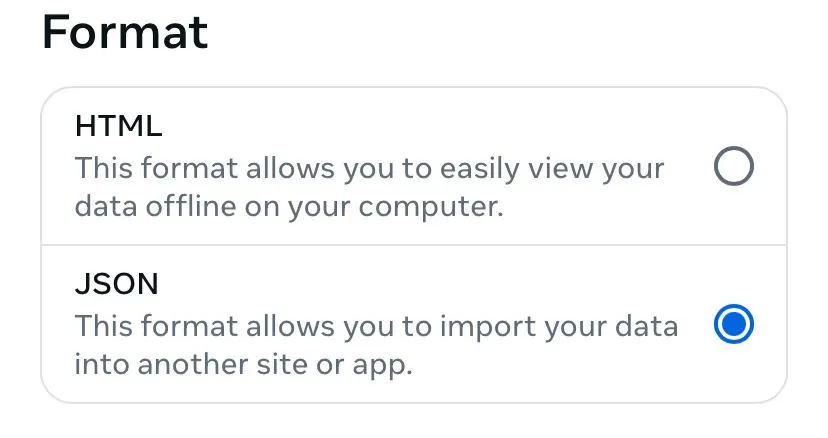
Set the Format to JSON
- 9
Start the export, then download the .zip
What you'll uncover
More than just a follower count
One file unlocks a full picture of your account.
Who unfollowed you
See exactly which accounts dropped you and which ones never followed back — then tidy your list with confidence.
Your year, wrapped
Turn your activity into a playful, shareable recap of standout posts and your most loyal supporters.
Deeper analytics
Spot growth trends and engagement patterns that a quick scroll through the app would never reveal.
Message insights
Understand your DM habits — who you talk to most and how your conversations stack up.
Your real fans
Find the people who consistently like and comment, so you know who actually shows up for you.
Follower ratio
Learn what your follower-to-following balance signals and how it shapes your account's reach.
Privacy by design
The safe way to check your followers
Most "who unfollowed me" tools want your Instagram password. That breaks Instagram's rules and puts your account at risk. Unfollowo works the opposite way.
-
We never see your password
We only read the official export Instagram hands you — the same one Instagram approves of.
-
Your data stays on your device
Parsing happens in your browser. Nothing is uploaded, stored, or logged on our side.
-
No ban risk, ever
We don't touch Instagram's API or automate anything, so your account is never put in danger.
Ready to see the full picture?
Grab your Instagram file and find out who's really in your circle — free, private, and instant.
Analyze my data